
Buying guides
5 Best Budget Camera Monitors in 2026
As an Amazon Associate, this website earns from qualifying purchases.
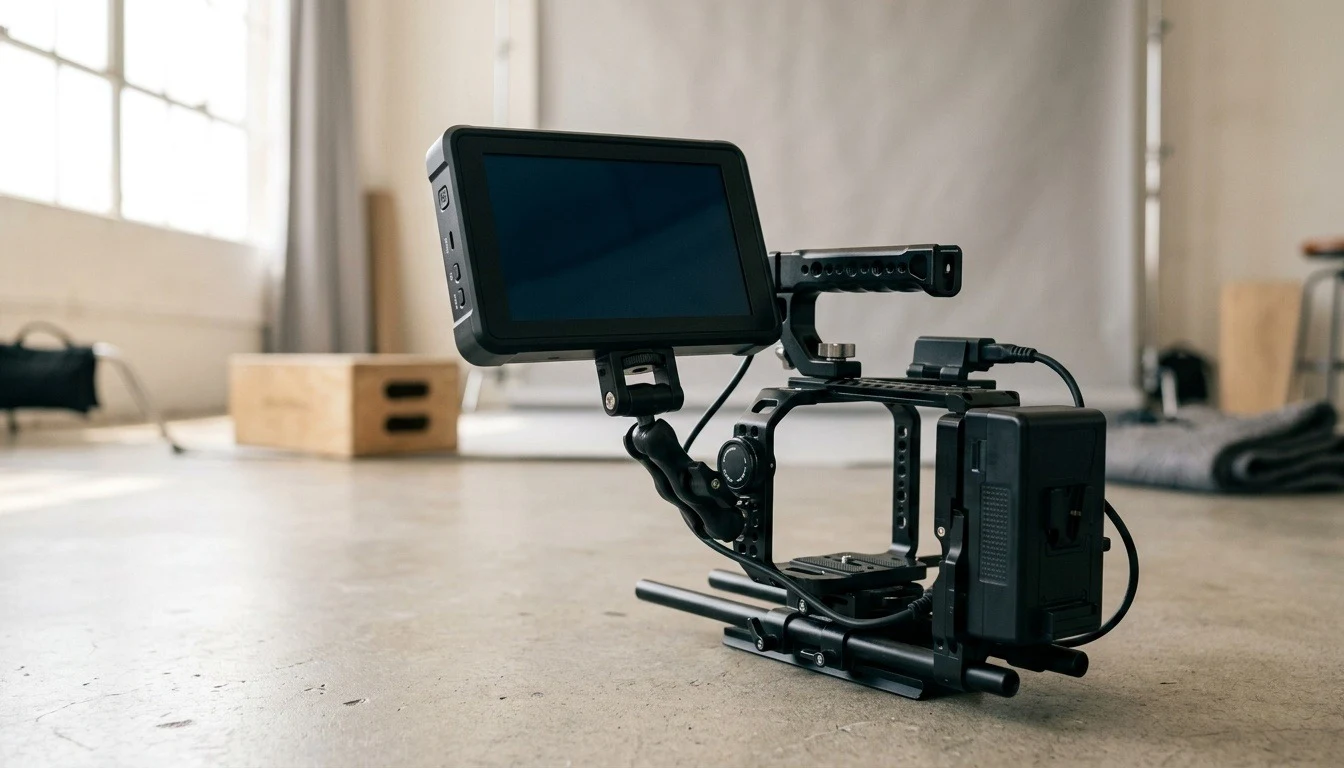
The short answer
The NEEWER F700 is our first pick when a 7-inch screen suits your rig: it combines a 2000nit touchscreen, HDMI loop output and exposure tools. Choose the smaller FEELWORLD F5 ProX for a compact setup, and check exact camera compatibility before buying a monitor for camera control.
Sections6
Our top 5 picks
- 1Larger screen
 NEEWER F700
- 7-inch 1920 x 1080 touchscreen with 2000nit brightness
- HDMI input and loop output accept UHD 4K up to 30Hz
- Waveform, false color and custom LUT support
- 2Compact rig
 FEELWORLD F5 ProX
- 5.5-inch touchscreen with 1600nit brightness
- Focus peaking, waveform and histogram tools
- False color and LUT preview for exposure checks
- 3Middle-size screen
 Viltrox DC-X2
- 6-inch 1920 x 1080 touchscreen with 2000nit brightness
- HDMI input and output support 4K up to 30Hz
- Waveform, vectorscope and custom LUT tools
- 4Camera control
 Atomos Shinobi II accessory-kit bundle
- 5.2-inch 1920 x 1080 touchscreen with 1500nit brightness
- HDMI input accepts UHD and DCI 4K up to 30fps
- USB-C camera control with supported camera models
- 5Small control screen
 Portkeys LH5C
- 5.4-inch 1920 x 1152 screen with 800nit brightness
- 4K30 HDMI input and 1080p60 output
- Waveform, focus peaking and supported-camera control
The best budget camera monitor is one that gives you a useful view without making the rig awkward. This list covers on-camera screens, rather than computer displays or monitor-recorders. The comparisons use published specifications and catalog records, not hands-on brightness or color tests.
#1. NEEWER F700: best for a larger screen
Our verdict:
Larger screen
Best for tripod and shoulder-rig shoots where a larger view helps with focus and exposure.
View on Amazon- 7-inch 1920 x 1080 touchscreen with 2000nit brightness
- HDMI input and loop output accept UHD 4K up to 30Hz
- Waveform, false color and custom LUT support
Keep in mind: at 445g before batteries, this monitor needs a mount and rig that can carry the added weight.
Product details checked October 2026
The F700 puts a 7-inch touchscreen and exposure tools on a rig with space for them. Its HDMI loop output is useful when the signal also needs to reach another device. Check the output format: UHD 4K support in this listing stops at 30Hz, rather than covering every mode your camera can record internally.
#2. FEELWORLD F5 ProX: best for a compact rig
Our verdict:
Compact rig
Best for solo creators who want monitoring tools on a smaller camera setup.
View on Amazon- 5.5-inch touchscreen with 1600nit brightness
- Focus peaking, waveform and histogram tools
- False color and LUT preview for exposure checks
Keep in mind: the smaller screen gives you less viewing area than a 7-inch option.
Product details checked October 2026
The F5 ProX is the smaller-screen route, with a 5.5-inch touchscreen and published 1600nit brightness. Focus peaking, waveform, histogram and false color give you tools to inspect the picture while filming. Use the maker's brightness figure as a specification; it is not a measured comparison from this guide.
#3. Viltrox DC-X2: best for a middle-size screen
Our verdict:
Middle-size screen
Best for shooters who want more viewing area than a compact monitor without moving to 7 inches.
View on Amazon- 6-inch 1920 x 1080 touchscreen with 2000nit brightness
- HDMI input and output support 4K up to 30Hz
- Waveform, vectorscope and custom LUT tools
Keep in mind: the DC-X2 is the HDMI model; SDI connections belong to the DC-X3.
Product details checked October 2026
The DC-X2 sits between the smaller options and the 7-inch F700. Its published features include a 6-inch Full HD touchscreen, waveform, vectorscope and LUT tools. Check the suffix when ordering: the DC-X2 and DC-X3 do not have the same video connections.
#4. Atomos Shinobi II: best for supported-camera control
Atomos Shinobi II accessory-kit bundle
Our verdict:
Camera control
Best for solo shooters who want exposure tools and control of a supported camera from the monitor.
View on Amazon- 5.2-inch 1920 x 1080 touchscreen with 1500nit brightness
- HDMI input accepts UHD and DCI 4K up to 30fps
- USB-C camera control with supported camera models
Keep in mind: camera control depends on the exact camera and firmware; it is not universal HDMI compatibility.
Product details checked October 2026
The Shinobi II adds USB-C camera control to its HDMI monitoring workflow. Atomos lists a 5.2-inch panel in the technical specifications and markets it as a 5-inch monitor. Check the current compatibility list for your camera before choosing it for touch focus or recording controls. The HDMI input accepts UHD and DCI 4K up to 30fps.
The linked listing pairs the monitor with an Atomos Universal Accessory Kit. Check those extra parts against the batteries, charger and mounting gear you already own.
#5. Portkeys LH5C: best for a small control screen
Our verdict:
Small control screen
Best for creators using a supported camera who want a compact control and monitoring screen.
View on Amazon- 5.4-inch 1920 x 1152 screen with 800nit brightness
- 4K30 HDMI input and 1080p60 output
- Waveform, focus peaking and supported-camera control
Keep in mind: the battery is not included in this exact listing; plan NP-F or USB-C power before shooting.
Product details checked October 2026
The LH5C combines a 5.4-inch screen with exposure tools and control for supported cameras. Its catalog record lists 4K30 HDMI input and 1080p60 output, so check both ends of a loop-through setup. Read the exact camera and cable requirements rather than treating a brand name as a compatibility promise.
Factors to consider when choosing a budget camera monitor
Match the HDMI signal
Check the resolution and frame rate the camera actually sends over HDMI. Internal recording settings do not establish the external signal. Compare that output with the monitor's supported input formats, and check output formats separately if you need to pass the signal onward.
Choose the screen for the rig
A larger screen gives you more viewing area, but adds size to the setup. Include the battery, mount and cable when judging balance. On a tripod that may be an easy trade; on a handheld rig, a smaller screen may be more useful.
Choose tools you will use
Focus peaking helps you inspect edges; waveform and false color give you ways to assess exposure. Learn the tool on your actual camera feed before relying on it during a shoot. A LUT preview is a viewing aid, so check whether it affects only the display or also the output in your chosen setup.
Plan power and camera control
Check whether a battery and mounting bracket are included. If camera control is the reason for buying, confirm the exact camera model, firmware and cable. HDMI picture compatibility on its own is not enough.
For the wider category, read the field monitor guide. If exposure is the problem you are solving, also visit film lights. Return to buying guides for sound and camera-support choices.
Product details come from current Amazon catalog records and published maker specifications, including Atomos Shinobi II and the Viltrox DC-X series.
Quick answers
What is the best budget camera monitor for a small rig?
Start with a screen you can mount and power comfortably. The FEELWORLD F5 ProX is the compact pick here, while the NEEWER F700 suits a rig with room for a larger screen. Check the camera output and monitor input formats as well as screen size.
Does 4K input mean the screen is 4K?
No. The input format describes the signal the monitor accepts. The panel resolution describes the pixels on the screen. A monitor can accept a 4K feed and display a scaled version on a lower-resolution panel.
Will a monitor control any camera connected by HDMI?
Do not assume that. Video input and camera control are separate features. Check the manufacturer's list for your exact camera, firmware and control cable before buying for touchscreen control.
What else do I need besides the monitor?
Check the included parts. Plan a suitable mounting point, the right HDMI cable and compatible power. Add their weight to the rig before choosing a monitor for handheld work.